For Discord groups
Discord scheduling poll: get the whole squad online at the same time
"@everyone when are we doing the raid?" gets six replies, three time zones and one "idk, whenever". Discord is great for playing together and surprisingly bad at deciding when. Here's what Discord itself can do, where it runs out, and how to settle game night with one link in the channel.

Why scheduling on Discord is so messy
A gaming group on Discord is rarely a group of neighbors. The tank lives two time zones east, the healer works late shifts, and someone only plays after the kids are in bed. Sessions are long, run past midnight, and need a minimum number of players: a full raid team, a five-stack, the four people in the co-op save.
Then the channel does what channels do. Messages scroll, memes bury the question, and "7 works for me" never says whose 7. By the time it's sorted out, the weekend is over.
What Discord has built in
Polls
Discord's native polls work in text channels, direct messages and group DMs. You type a question, add up to 10 answers, choose how long the poll stays open (1 hour up to 1 week), and decide whether people can pick more than one answer. Votes aren't anonymous, and people can change their vote while the poll is open. Server admins can switch the Create Polls permission off for some roles or channels.
For "Friday 8 pm or Saturday 8 pm?" that's perfect. For "when is everyone free this week?", ten fixed options run out fast, and every option is plain text, so "8 pm" means 8 pm for whoever wrote it.
Scheduled events
Discord's Events let you post a session ahead of time in a voice channel, a Stage or "somewhere else". Members tap Interested and get a notification when the event starts. You need the Create Events permission to make one. It's a great way to announce a session, but it assumes you already know the time.
Bots
Scheduling bots can run polls and calendars inside your server. If your server already has one, use it. If not, someone with permission to add apps to the server has to install it, which is a hurdle on a friend server where nobody wants to be the admin, and pointless for a group DM.
The no-bot way: one link in the channel
- Make a link. Name the session ("Raid night", "Valheim: the swamp run"), pick the next 7 days and the hours you'd play. Late evenings into the night are fine: set 7 pm to midnight, or later.
- Paste it in the channel or the group DM. Discord shows a preview of the link. Nothing to install, nobody needs special permissions, and players who aren't on the server can open it too.
- Everyone drags over the times they can play, in their phone or computer browser, after typing a name. Each player sees the grid in their own time zone automatically.
- Read the answer. The heatmap shows when most people are online, and a sentence at the top says something like "Sat 9 pm–midnight works for 6 of 7 (not Kai)".
- Pick the final time. Everyone sees "It's on!" with who can make it, can add it to their calendar, and you get a picture plus a ready message to post back in the channel.
Tips from groups that actually play
Make the slots as long as the session
A raid or a long co-op run isn't a 30-minute thing. Under "More options", set the slot length to 2 or 3 hours, so people only mark blocks they can really stay for, and the best time is one you can actually play through.
Agree on the minimum before you look
Can you run it with one sub? Is a four-stack fine if the fifth can't make it? Decide first. The heatmap shows how many people are free in every slot, so "works for 7 of 8" is often a perfectly good night.
Late nights stay in one column
If your group plays from 10 pm until 2 am, set the hours that way. The grid keeps a night that runs past midnight in one column instead of splitting it across two days.
Pin it and set a deadline
Pin the message with the link so it doesn't scroll away, and add a deadline: "Mark your times by Thursday, I'll pick Friday." The answers come in while people are still looking at the channel.
Then make the Discord event
whenfor.us doesn't send reminders. Discord does: once you've picked the time, create a Scheduled Event for it and let people tap Interested, so they get a ping when the session starts. Grid to find the time, Discord to show up.
Discord poll, bot or link?
| Discord poll | Scheduling bot | whenfor.us link | |
|---|---|---|---|
| Setup | None | Someone with permission adds it | None |
| Options | Up to 10 fixed answers | Depends on the bot | Every slot in the window you choose |
| Time zones | Text, everyone converts | Depends on the bot | Everyone sees their own local times |
| Best for | 2–4 known options | Big servers with regular events | "When can everyone play?" |
Works for any game, any group
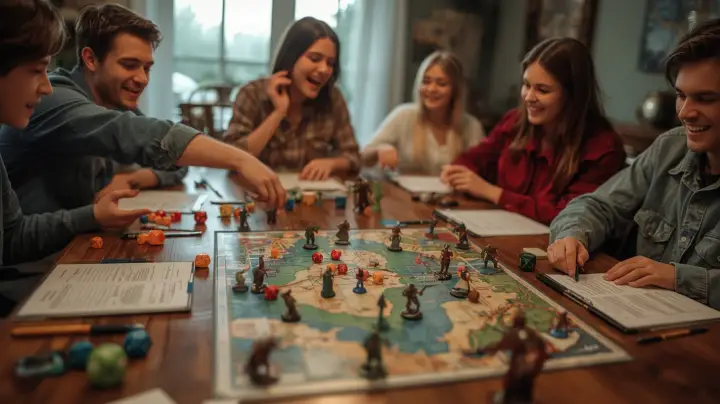
Raid nights and dungeon runs, Minecraft or Valheim sessions, a co-op campaign, a movie night on stream, a LAN party evening, or your D&D campaign on Discord voice. Up to 150 people can answer one link, so it also fits a small community, though it's at its best for the core group that has to be there. Playing tabletop or board games in person instead? See game night with friends.
Questions people ask
Does Discord have a scheduling poll?
Discord has polls with up to 10 fixed answers that stay open for up to a week. That works for choosing between a few times. To find out when everyone is free, post a link where each player marks all the times they can play.
Is there a way to schedule on Discord without adding a bot?
Yes. Make a whenfor.us link and paste it in the channel or group DM. Nothing gets installed on the server, and nobody needs admin rights or an account.
Can players in different time zones answer the same poll?
Yes. Each player sees the grid in their own time zone automatically, and the best time is the same moment for everyone, shown in each person's local time.
Will people get a reminder before the session?
whenfor.us doesn't send reminders. Once you've picked the time, people can add it to their calendar in one tap, or you can create a Discord Scheduled Event so everyone who taps Interested gets a notification when it starts.